
Government Contracting | Provice LLC
An IT staffing firm finds a solicitation titled “Technology Support Services.” The team starts pulling résumés, then opens the scope. The agency isn’t looking for extra technicians. It wants a contractor to run its help desk, cover evenings and weekends, and meet response-time targets.
The bid matched the firm’s keywords. The work didn’t match its business.
That difference matters when every proposal takes time away from running your business. A good search process helps you find opportunities and rule out the wrong ones before you commit to a response.
Quick Answer — How Do You Find Government Contracts That Fit Your Business?
To find government contracts that fit your business, start with the work you can deliver and prove. Search SAM.gov for federal opportunities and the official purchasing portals of your target states and local agencies. Then check the full solicitation for scope, eligibility, past performance, delivery costs, and deadlines before deciding to bid.
Use past awards and procurement forecasts to identify buyers worth following, even when they don’t have an open bid today.
1. Define What a Good Contract Looks Like Before You Search
Start with one service you already deliver reliably. Describe it in enough detail that someone else on your team could use it to screen a bid.
| What to define | What to write down |
| What you sell | Your core services or products and related work you don’t provide |
| Where you can deliver | Your on-site service area, travel limits, and remote delivery options |
| What you can prove | Comparable projects, their scope and size, and references you can provide |
| What you qualify for | Active registrations, relevant licenses, and applicable certifications |
| How much you can take on | Staffing capacity, mobilization time, and upfront costs you can carry |
| How you want to compete | Whether you’re looking for prime contracts, subcontracts, or both |
“Temporary desktop support staffing in New York, with capacity for three to eight on-site placements” is specific enough to guide a search. “IT contracts nationwide” will surface everything from software licenses to managed network services.
If you aren’t sure what your team can take on, start with our 15-point government contracting readiness checklist.

2. Look Where Your Target Buyers Publish Opportunities
SAM.gov is a starting point for federal opportunities. State agencies, cities, counties, school districts, and other public buyers may use their own procurement portals.
| What you’re looking for | Where to start |
| Federal solicitations and procurement notices | SAM.gov Contract Opportunities |
| State government bids | The state’s designated procurement portal, such as California’s Cal eProcure or the New York State Contract Reporter |
| City, county, school district, or public authority bids | The buyer’s purchasing page or the portal it directs vendors to use |
| Planned federal purchases | GSA’s procurement forecasting resources and individual agency forecasts |
| Past federal awards and potential prime contractors | USAspending.gov and the SBA’s prime and subcontracting resources |
Check the Notice Type Before You Start Writing
A solicitation may be accepting bids, quotes, or proposals. A Sources Sought notice or Request for Information generally supports market research. Respond if your capabilities are relevant and the notice asks for a response, but don’t treat it as an invitation to bid. A procurement forecast gives you time to prepare, but it isn’t a commitment to buy.
If an alert or third-party listing brings you to an opportunity, verify the deadline, time zone, amendments, and submission instructions in the agency’s official notice or designated portal.
3. Search by Keyword and NAICS Code
Run separate searches for the same service. Use plain-language keywords for one search and a relevant North American Industry Classification System (NAICS) code for another, where the portal supports it.
For example, an IT staffing firm might search for “staff augmentation,” “desktop support technician,” and “temporary IT staffing.” It could also run a separate search for NAICS 561320, Temporary Help Services. Keywords can turn up relevant notices classified under other codes. A code search can surface notices whose titles never mention staffing.
Then narrow the results using the filters that matter most:
- Place of performance. Check where the work will happen, not just where the contracting office is located.
- Buyer. Prioritize agencies that regularly purchase your services.
- Notice type. Separate open solicitations from market research and award notices.
- Set-aside. Track opportunities you qualify for, but keep a broader search if you also want unrestricted work.
- Response deadline. Leave time to review the requirements, confirm pricing, and prepare a complete response.
Provice tip: Start with a few searches you’ll actually review. If you keep passing because the work is outside your service area, narrow geography first. If desktop staffing searches keep returning help-desk outsourcing contracts, refine the service terms. SAM.gov lets signed-in users save searches and follow specific notices. SAM.gov Contract Opportunities

4. Use Past Awards to Find Buyers Before the Next Bid Opens
Open solicitations tell you what you can pursue today. Past awards tell you which buyers are worth following.
On USAspending.gov, search contract awards by service keyword, agency, or NAICS code. Look for patterns. Which agencies repeatedly buy work like yours? Who received those awards? Was similar work ordered under an existing contract vehicle? Use what you learn to build a buyer watchlist, then check those agencies’ procurement forecasts. USAspending.gov Advanced Search
An award’s end date is a reason to watch, not a reliable prediction of when or whether the agency will compete the work again. If a buyer regularly orders through a vehicle you don’t hold, research the firms already doing the work. You may have a better route in as a subcontractor than as a direct bidder. SBA’s prime and subcontracting guide
5. Screen the Contract Before You Commit to a Proposal
Open the full solicitation package, including the scope of work, qualifications, evaluation criteria, pricing forms, and amendments. Then ask these six questions.
| Fit check | Question to answer before bidding |
| Scope | Is the buyer purchasing the work we do, or a larger bundle that happens to include it? |
| Eligibility | Do we meet the applicable registration, license, certification, set-aside, or contract vehicle requirements? |
| Past performance | Can we provide references that meet the stated requirements for scope, size, and recency? |
| Delivery | Can we cover the locations, shifts, service levels, and start date? If we need a subcontractor, is that permitted? |
| Cost and cash flow | Can we price the work to cover labor, applicable wages and benefits, insurance, overhead, and upfront costs? |
| Timing | Can we still attend any mandatory meeting or site visit and submit a complete response on time? |
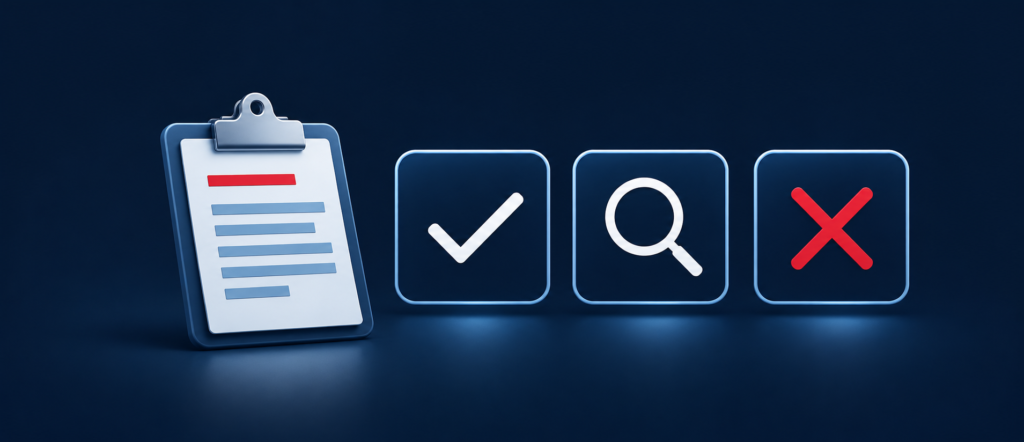
Give each opportunity one of three decisions:
- Pursue when you meet the mandatory requirements, can deliver the work, and have a credible case for why the buyer should choose you.
- Verify when an unresolved question could change the decision. Assign someone to get the answer before you commit proposal time.
- Pass when you can’t meet a mandatory requirement or deliver the work at a sustainable price.
In the opening example, running an entire help desk may be a pass for the staffing firm as a prime contractor. A separate solicitation for three desktop technicians could be a pursue if the firm can show comparable placements, meet the start date, and cover payroll. The help-desk contract might still be worth tracking for a subcontracting role under a managed service provider.
Build a Weekly Government Bid Search Routine
Give one person ownership of your opportunity list. Each week, review saved searches, check priority buyers, and record decisions on new bids. Keep forecasts and early notices on a separate watch list so they don’t get mixed in with open solicitations. Review amendments and near-term deadlines as they arrive instead of waiting for the weekly meeting.
Keep the tracker simple. Record the agency, solicitation number, official link, deadline and time zone, next action, and owner. Write down why you passed, too. If the same reason keeps coming up, such as “outside our service area” or “managed services, not staffing,” you know which part of your search needs adjusting.
Frequently Asked Questions About Finding Government Contracts
Where Can Small Businesses Find Government Contracts for Free?
Start with SAM.gov for federal procurement notices and the official purchasing pages or vendor portals of the states, cities, and counties you want to serve. Some portals require an account to access documents, receive alerts, or submit a bid. SAM.gov Contract Opportunities
Can I Search SAM.gov Without Registering My Company?
Yes. You can search public federal notices without completing entity registration. Searching and submitting an offer are separate steps. Before bidding, check the solicitation’s registration requirements and any applicable exceptions. SAM.gov Entity Registration
Should I Search Government Bids by Keyword or NAICS Code?
Use both. Keywords help you find the buyer’s description of the work. NAICS codes can surface related notices with different titles. Neither tells you whether you qualify or can deliver the work. Read the solicitation before deciding.
How Do I Find Government Contracts Without Federal Past Performance?
Look for solicitations that accept relevant commercial or other comparable experience, and check how the buyer evaluates it. Subcontracting with an established prime or pursuing state and local work of a manageable size can also help you build relevant experience. SBA’s prime and subcontracting guide
Find Better-Matched Opportunities With Provice’s Bid Radar
If your team spends more time sorting through government bid alerts than evaluating real opportunities, start with a better shortlist.
The Bid Radar from Provice monitors federal, state, and local procurement sources and delivers a weekly shortlist matched to your services, NAICS codes, certifications, and contract preferences. Each opportunity includes key details such as the agency, scope, deadline, and contract value when available, so your team can decide what deserves a closer look.
Tell us what you sell, where you can deliver, and what kinds of contracts you want to pursue. We’ll help you focus your search on work your business is equipped to take on.