

Government Contracting | Provice LLC | Updated October 2026
If your small business is planning to pursue federal government contracts, one of the first steps is understanding SAM.gov registration.
The System for Award Management (SAM.gov) is the federal government’s official platform for registering entities that want to do business directly with federal agencies.
But registration can be confusing, especially for first-time government contractors.
What is a Unique Entity ID? Do you need a CAGE code? Is registration free? What information must your business provide? And does completing registration mean you’re ready to start bidding?
These are important questions because mistakes during registration can delay your entry into federal contracting.
This 2026 SAM.gov registration guide explains the process step by step, outlines common problems, and helps small-business owners understand what to do before and after their registration becomes active.
Quick Answer: How Do You Register on SAM.gov?
To register your business on SAM.gov, visit the official website, sign in through Login.gov, choose to register your entity for federal awards, provide your legal business information, complete entity validation, obtain your Unique Entity ID (UEI), and submit the required business, financial, assertions, and representations and certifications information.
Your registration must complete the required government validation process before becoming active.
The basic SAM.gov registration process is:
- Create or sign in to your Login.gov account.
- Access the official SAM.gov entity registration portal.
- Select the federal awards entity registration option.
- Provide your legal business name and physical address.
- Complete entity validation and receive a UEI.
- Enter required business, tax, and financial information.
- Provide relevant NAICS codes and business assertions.
- Complete applicable representations and certifications.
- Enter required points of contact.
- Review and submit your registration.
- Monitor its status until it becomes active.
- Maintain accurate information and renew every 365 days.
SAM.gov registration is free. You are not required to hire a consultant or pay a registration company to complete the process.
Official website: https://sam.gov/
What Is SAM.gov and Why Does It Matter?
SAM.gov stands for the System for Award Management.
It is an official U.S. government platform managed by the General Services Administration (GSA).
The system supports several federal acquisition activities, including entity registration and federal contract opportunity searches.
For small businesses entering government contracting, SAM.gov serves two important purposes.
1. Registering your business for federal awards
The federal government uses SAM.gov to collect and validate information about entities seeking federal contracts and certain federal financial assistance awards.
For most federal prime contracting opportunities, businesses must have an active registration when submitting an offer and at the time of award, subject to applicable exceptions.
2. Finding federal contracting opportunities
SAM.gov also allows businesses to research federal procurement notices.
These may include:
- Requests for Proposals (RFPs).
- Requests for Quotations (RFQs).
- Combined Synopsis/Solicitation notices.
- Sources Sought notices.
- Requests for Information (RFIs).
- Presolicitations.
- Contract award notices.
Not all notices represent active opportunities for submitting bids. For example, an RFI may be used for market research rather than a request for a formal proposal.
Important: Registering on SAM.gov does not automatically qualify your company for every federal contract or guarantee that your business will receive government work.
It establishes an important foundation for participating in federal contracting.
Who Needs to Register on SAM.gov?
Businesses that plan to pursue federal prime contracts generally need an active entity registration.
This can include companies providing:
- Information technology and cybersecurity.
- Staffing and workforce solutions.
- Security and facility management.
- Construction and maintenance.
- Healthcare services.
- Logistics and transportation.
- Engineering and professional consulting.
- Office supplies and equipment.
- Software development.
- Administrative and operational support.
However, SAM.gov registration requirements depend on the type of federal transaction.
Do government subcontractors need SAM.gov registration?
Not necessarily.
A business performing work solely as a subcontractor may not need the same active registration required of federal prime contractors.
Certain subcontracting, reporting, or assistance-related activities may require only a UEI or other information.
Prime contractors may also impose their own vendor onboarding requirements.
The correct approach is to review the requirements for your specific contracting relationship rather than assume every subcontractor must complete a full SAM.gov registration.
Do businesses pursuing state or local contracts need SAM.gov?
Not automatically.
State and local governments commonly maintain separate vendor registration systems.
A company pursuing only municipal or state contracts should review the requirements of the relevant purchasing authority.
Some programs or procurements involving federal funding may introduce additional requirements.
What Is the Difference Between SAM.gov, UEI, and CAGE Code?
Three terms frequently cause confusion among first-time government contractors.
| Term | What it means | Main purpose |
| SAM.gov | System for Award Management | Federal entity registration and acquisition information platform |
| UEI | Unique Entity ID | Identifies a specific entity in federal systems |
| CAGE code | Commercial and Government Entity code | Identifies entities for federal procurement and related activities |
What is a Unique Entity ID?
A UEI is a unique 12-character alphanumeric identifier assigned through SAM.gov.
It identifies your organization in federal government systems.
Your business can obtain a UEI without completing full federal entity registration.
However, a UEI alone does not mean your company has an active SAM.gov registration or is ready to submit federal prime contract offers.
What is a CAGE code?
A Commercial and Government Entity (CAGE) code is an identifier used in federal procurement and related systems.
Domestic entities may receive a CAGE code through the applicable registration and validation process if they do not already have one.
Foreign entities may be subject to different identification requirements, including NCAGE procedures.
Do you still need a DUNS number?
No.
The federal government replaced the DUNS number with the UEI as its primary entity identifier in April 2022.
Businesses should use the UEI assigned through SAM.gov instead of seeking a new DUNS number for federal entity registration.
What Documents and Information Do You Need for SAM.gov Registration?
Before starting the process, gather your business information.
Preparing these details in advance can help prevent errors and unnecessary delays.
Business identification information
You may need:
- Legal business name.
- Physical business address.
- Mailing address, if different.
- Business start date.
- Business structure.
- DBA or trade name, if applicable.
- Company contact information.
Your legal name and physical address should accurately reflect the entity being registered.
Taxpayer information
Applicable registration information may include:
- Taxpayer Identification Number (TIN).
- Employer Identification Number (EIN), when applicable.
- Taxpayer name.
- Required taxpayer validation information.
Certain tax validation requirements differ for U.S. and non-U.S. entities.
Banking and financial information
Depending on the registration type and entity circumstances, financial information may include:
- Banking institution information.
- Routing number.
- Account number.
- Electronic funds transfer details.
Only provide sensitive financial information through the official, secure government registration process.
Business classification information
Prepare:
- Primary NAICS code.
- Relevant additional NAICS codes.
- Employee count.
- Annual receipts or other business-size information, as applicable.
- Business ownership and organizational information.
- Applicable business assertions.
Points of contact
SAM.gov requires designated points of contact for relevant registration functions.
These may include:
- Government business contact.
- Electronic business contact.
- Accounts receivable contact.
- Other applicable roles.
Provice tip: Before registration, organize your information into a secure internal checklist and confirm that legal, tax, banking, and business records are consistent.
This reduces the likelihood of validation problems.
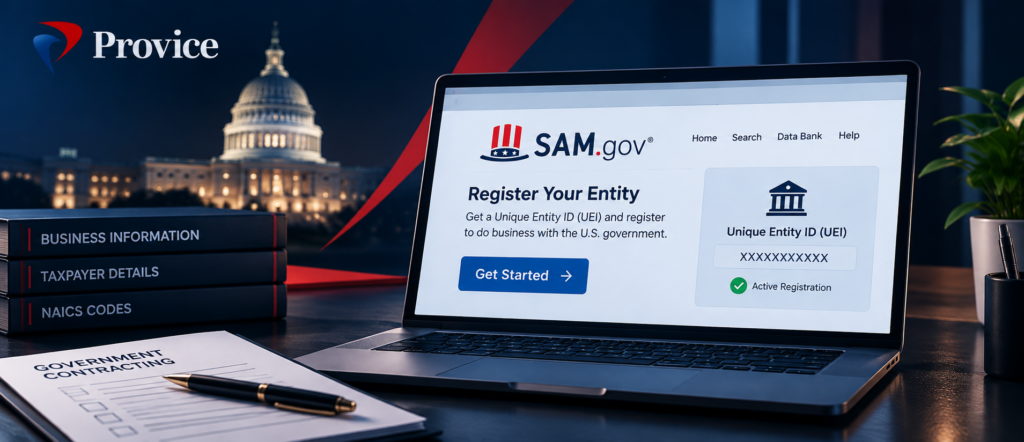
How to Register on SAM.gov: Step-by-Step Instructions
Step 1: Visit the Official SAM.gov Website
Go to:
https://sam.gov/entity-registration
This is the official federal entity registration portal.
Be cautious of commercial websites that resemble government registration pages.
You do not need to pay a website to access SAM.gov or obtain a UEI.
Step 2: Create a Login.gov Account
SAM.gov uses Login.gov for account authentication.
If you don’t already have a Login.gov account, create one using an email address you control.
Complete the required identity and security setup.
Use a business-controlled email address rather than an outside consultant’s personal account.
This helps ensure your organization retains access to its registration information.
Step 3: Choose the Correct Registration Option
SAM.gov provides two general choices:
Get a Unique Entity ID only: For entities that need identification but do not need full registration to apply directly for federal awards.
Register Entity: For organizations seeking to register for federal awards, including federal prime contracts.
If your business intends to submit offers for federal prime contracting opportunities, choose the appropriate full entity registration option.
Step 4: Enter Your Legal Business Information
Provide the requested company details accurately.
These include your legal name, physical address, and other identifying information.
SAM.gov uses entity validation to confirm that your organization exists and is uniquely identifiable.
If the system cannot validate your business information, it may request additional documentation.
Common issue: The business name or address entered during registration differs from supporting legal documentation.
For example, using a shortened company name where the legal record includes the complete registered name can lead to validation problems.
Step 5: Obtain Your UEI
During the registration process, SAM.gov assigns your entity a Unique Entity ID.
If the entity already has a UEI, the system may locate an existing record rather than create a new one.
Avoid creating duplicate registrations for the same legal entity.
Keep your UEI accessible for future registrations, proposal forms, and government contracting records.
Step 6: Complete Core Business Information
SAM.gov collects information about your organization, including business structure, taxpayer details, financial information, and related registration data.
Complete all mandatory fields carefully.
Do not guess when entering tax identifiers, legal names, or financial information.
Errors can create validation delays or require corrections.
Step 7: Select Your NAICS Codes
Your NAICS codes should reflect the goods and services your company actually provides.
For example:
| Industry | Example NAICS |
| IT Consulting | 541512 |
| Temporary Staffing | 561320 |
| Security Guard Services | 561612 |
| Management Consulting | 541611 |
| Administrative Services | 561110 |
| Commercial Construction | 236220 |
A business may have multiple relevant NAICS codes.
However, selecting unrelated codes does not increase eligibility for work outside your actual capabilities.
Also remember that the NAICS code assigned to a solicitation helps determine the applicable small-business size standard.
Official classification resource: https://www.census.gov/naics/
Step 8: Complete Assertions and Representations and Certifications
As part of registration, contractors complete required assertions and federal representations and certifications.
These may address business characteristics, applicable regulatory requirements, and eligibility-related matters.
Read each question carefully.
Incorrect answers can create legal and contractual risks.
Do not claim a certification or special business status unless your company meets the applicable requirements.
For SBA certification programs, additional eligibility reviews or formal certification applications may be necessary.
Step 9: Add Required Points of Contact
Provide accurate contact information for authorized representatives of your business.
Make sure the designated individuals can access important communications and respond to requests when needed.
A common operational problem is using an email address that no one regularly monitors.
Government validation messages, renewal reminders, and registration issues can be overlooked when contact information is outdated.
Step 10: Review and Submit Your Registration
Before submission, confirm:
- Your legal entity name is correct.
- Your physical address is accurate.
- Taxpayer details are consistent.
- Banking information is correct, if applicable.
- NAICS codes reflect your services.
- Required representations and certifications are complete.
- Points of contact are accurate.
Submit the registration and retain confirmation details for your records.
Step 11: Monitor Registration Status
Submitting your registration does not mean it is immediately active.
The government must complete applicable reviews and validations.
Check the registration status through your SAM.gov Entity Workspace.
Possible statuses include work in progress, submitted, pending, active, or other statuses associated with validation and processing.
If the system requests corrections, respond promptly and follow the official instructions.
Step 12: Confirm Active Status Before Bidding
For most federal prime contract solicitations, an active SAM.gov registration is required at the time of offer submission and award, subject to applicable exceptions.
Do not assume that a submitted or pending registration satisfies a solicitation’s requirements.
Review the specific solicitation provisions and confirm your active registration before submitting an offer.
How Long Does SAM.gov Registration Take in 2026?
SAM.gov’s official registration checklist advises allowing at least 10 business days after submission for activation.
Processing may take longer if your entity encounters issues with identification, taxpayer validation, CAGE code validation, or required documentation.
There is no guaranteed activation date for every registration.
Practical recommendation: Begin registration well before an anticipated proposal deadline.
If you are already planning to compete for a specific opportunity, account for possible processing delays when reviewing its eligibility requirements.
How Much Does SAM.gov Registration Cost?
SAM.gov registration is free.
The federal government does not charge businesses to:
- Create a SAM.gov account.
- Obtain a Unique Entity ID.
- Register an entity.
- Update registration information.
- Renew an existing registration.
You may choose to hire a professional service provider for assistance with registration preparation, troubleshooting, documentation, or ongoing administration.
Those are optional professional service fees—not government registration fees.
How to avoid misleading registration services
Be cautious of unsolicited messages claiming that you must pay an urgent fee to maintain your government registration.
Before sharing sensitive information or making payments:
- Confirm that you are visiting the official SAM.gov website.
- Review notices within your official account.
- Avoid sharing Login.gov credentials.
- Verify the identity of anyone requesting company documents.
- Use official government support channels for technical questions.
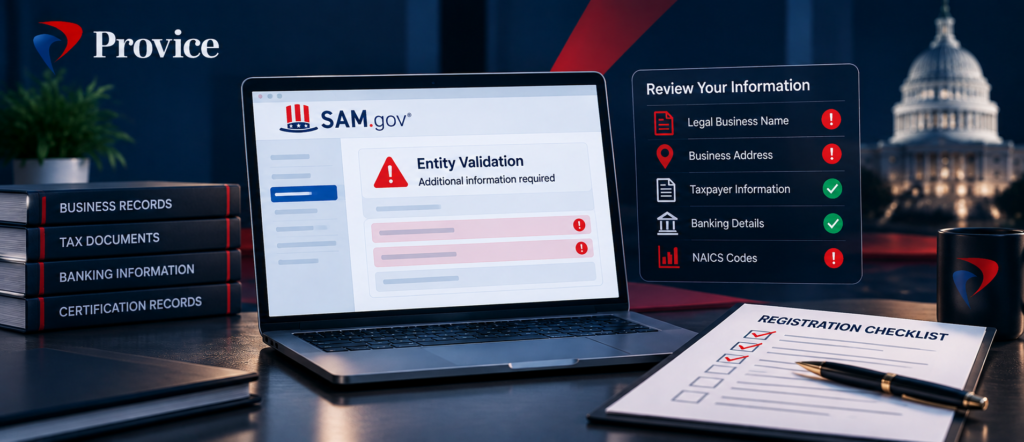
Common SAM.gov Registration Mistakes Small Businesses Should Avoid
Mistake 1: Entering inconsistent business information
Differences between legal, tax, and entity validation records may delay activation.
Mistake 2: Requesting only a UEI when full registration is needed
Receiving a UEI does not automatically establish an active federal contract registration.
Mistake 3: Choosing irrelevant NAICS codes
Your codes should accurately describe your business activities.
Mistake 4: Providing incorrect representations and certifications
Business status and certification-related statements must be accurate.
Mistake 5: Using an outside provider’s personal email as the only contact
Your business should maintain control of the registration and the authorized contacts.
Mistake 6: Waiting until the proposal deadline approaches
Registration delays can prevent participation in solicitations requiring active status at offer submission.
Mistake 7: Forgetting to renew
Registrations must be renewed every 365 days to remain active.
Mistake 8: Believing registration guarantees government contracts
SAM.gov registration is only one part of building a successful government contracting operation.
How to Renew Your SAM.gov Registration
An active SAM.gov registration must be renewed every 365 days.
To renew:
- Sign in to SAM.gov through Login.gov.
- Access your Entity Workspace.
- Locate the relevant entity registration.
- Select the appropriate renewal option.
- Review and update business information.
- Confirm required representations and certifications.
- Submit the renewal.
- Monitor the registration until the renewal is processed.
Do not wait until the final day to start.
If your registration expires, it may affect your ability to pursue new opportunities or satisfy applicable contract requirements.
Provice tip: Maintain an internal registration calendar with reminders well ahead of expiration.
Companies operating in multiple government markets should also monitor state vendor registrations, licenses, insurance certificates, and applicable business certifications separately.
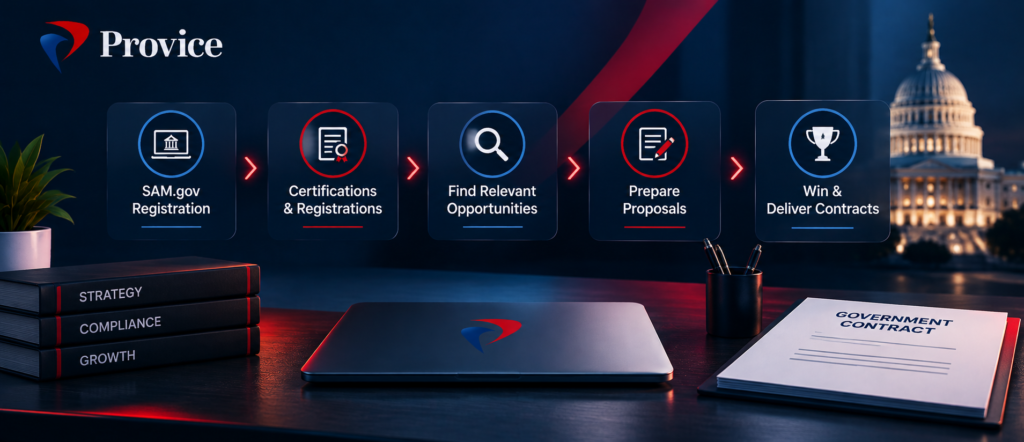
What Should You Do After Your SAM.gov Registration Becomes Active?
One common misconception is that registering on SAM.gov means a business is ready to win government contracts.
In reality, registration is only the beginning.
1. Develop your capability statement
Create a concise overview of your company’s services, qualifications, differentiators, and relevant experience.
2. Identify government agencies that purchase your services
Research federal customers, relevant contract awards, and upcoming procurement requirements.
3. Evaluate certifications
Determine whether programs such as 8(a), WOSB, HUBZone, or SDVOSB are relevant to your business.
Certification eligibility depends on applicable program requirements.
4. Establish an opportunity sourcing process
Use SAM.gov, official agency resources, and other appropriate procurement sources to build a focused pipeline.
5. Create a bid/no-bid framework
Assess opportunities based on eligibility, scope, experience, staffing, pricing, geography, and delivery capacity.
6. Prepare your proposal processes
Create systems for reviewing solicitations, tracking compliance requirements, coordinating pricing, and managing submissions.
7. Consider subcontracting opportunities
Businesses without federal prime contracting experience may find relevant opportunities through relationships with established prime contractors.
The next step is not simply to bid on everything.
It is to identify contracts your business can realistically pursue and perform.
SAM.gov Registration Checklist for Small Businesses
Use this checklist before and after submitting your registration.
| Requirement | Status to verify |
| Legal business name | Matches official records |
| Physical business address | Accurate and supportable |
| Login.gov account | Business-controlled access |
| Registration type | Appropriate for intended federal awards |
| Entity validation | Completed |
| Unique Entity ID | Assigned or confirmed |
| Taxpayer information | Accurate, if applicable |
| CAGE/NCAGE information | Completed as applicable |
| Banking information | Entered correctly, if required |
| NAICS codes | Relevant to actual services |
| Business assertions | Completed accurately |
| Representations and certifications | Reviewed and completed |
| Points of contact | Current and monitored |
| Registration status | Active |
| Renewal tracking | Internal reminders established |
This checklist is a preparation aid. The official SAM.gov Entity Registration Checklist remains the controlling reference for the information required by the current registration process.
Frequently Asked Questions About SAM.gov Registration
Is SAM.gov registration mandatory for government contracts?
For most federal prime contracting opportunities, an active SAM.gov registration is required. Certain exceptions exist. State and local government contracts have separate vendor registration rules.
Is SAM.gov registration free?
Yes. The official government registration process is free, including entity registration, UEI assignment, and renewals.
Can I get a UEI without registering in SAM.gov?
Yes. SAM.gov allows entities to request a UEI without completing full federal entity registration. However, a UEI-only record does not authorize an organization to apply directly for federal awards.
What is the difference between UEI and CAGE code?
A UEI identifies an entity in federal systems, while a CAGE code supports identification within government procurement and related processes. They are separate identifiers.
Do I need a DUNS number in 2026?
No. The federal government uses the UEI instead of the former DUNS number for entity identification.
How long is SAM.gov registration valid?
Registration must be renewed every 365 days to remain active.
Can a new LLC register on SAM.gov?
Yes. A newly established LLC can register if it can provide the required information and complete applicable validation procedures. Registration alone does not establish eligibility for every solicitation.
Do I need a certification before registering on SAM.gov?
Not generally. Businesses can register without holding a socioeconomic contracting certification. Certain set-aside opportunities, however, may require qualifying certification or business status.
Can I bid while my SAM.gov registration is pending?
For most federal prime contract solicitations, an active registration is required at offer submission and award, subject to exceptions. Review the actual solicitation and applicable FAR provisions.
Can I update SAM.gov information after registration?
Yes. Businesses can update registration information. Changes may require government validation or processing before they become effective.
Does SAM.gov registration guarantee government contracts?
No. Registration does not guarantee an award, establish technical qualifications, or replace competitive proposal preparation and contract delivery requirements.
Can a consultant complete my SAM.gov registration?
A consultant may assist with preparation and administration using appropriately authorized access. Your business should retain control over its official account, accurate representations, and sensitive information. Consultant assistance is optional.
SAM.gov Registration Is the Beginning—Not the Entire Government Contracting Strategy
Registering on SAM.gov is an important step for businesses entering federal contracting.
But your company’s success depends on more than receiving a UEI or achieving active registration status.
You also need to understand your government customers, develop relevant capabilities, pursue suitable opportunities, prepare compliant proposals, and maintain the operational resources needed to deliver contracts successfully.
A strong foundation helps reduce administrative obstacles and makes your government contracting efforts easier to manage.
The goal isn’t simply to get registered. It’s to become better prepared to compete and grow.
Need Help With SAM.gov Registration and Government Contracting Setup?
Provice LLC helps small and growing businesses establish and maintain the registrations, certifications, and operational foundations needed to pursue government contracting opportunities.
Through our Certifications & Registrations service, we can help with:
- SAM.gov registration assistance.
- Unique Entity ID setup and registration maintenance.
- NAICS code identification.
- Federal registration documentation.
- State and local vendor registrations.
- Relevant business certification support.
- Registration updates and renewal tracking.
- Organizing required supporting information.
For businesses entering the government marketplace for the first time, our GovCon Jumpstart solution connects registration with broader readiness activities, including capability positioning, opportunity sourcing, and initial bid support.
Your Business. Our Execution.
Get support with your SAM.gov registration and government contracting setup.
Official Government Resources
- SAM.gov — Official Entity Registration
- SAM.gov — Entity Registration Checklist (PDF)
- SBA — Get Started With Government Contracting
- Acquisition.gov — FAR 52.204-7
- SBA — Small Business Certifications
- Federal Service Desk
Disclaimer: This article provides general educational information about U.S. federal entity registration as of October 2026. Requirements may differ based on entity type, jurisdiction, award type, and the applicable solicitation. Always consult current SAM.gov guidance and relevant federal regulations. Provice LLC is an independent business service provider and is not affiliated with or endorsed by SAM.gov, the SBA, or the U.S. government.